Scratch
archived forums
#1 2011-10-04 03:13:58
- WindowsExplorer
- Scratcher
- Registered: 2011-02-25
- Posts: 1000+
CMD Tricks?
Anyone know any? I'd like to know hwo to make the user an admin.


Offline
#2 2011-10-04 03:55:01
- wulfmaster
- Scratcher
- Registered: 2011-04-23
- Posts: 500+
Re: CMD Tricks?
/net user <Username> <New password>
Offline
#3 2011-10-04 05:20:40
Re: CMD Tricks?
Use up arrow to repeat commands. If you run a console program and it ends you can run it again and type in what you typed in before by pressing up. On Ubuntu you can't do this.
 My site
 Find someone post count. Click posts under username. Find number of pages. Times that by 40 for min and 60 for max and you have a rough estimate of post count.
Offline
#4 2011-10-04 05:42:41
- wulfmaster
- Scratcher
- Registered: 2011-04-23
- Posts: 500+
Re: CMD Tricks?
what-the wrote:
Use up arrow to repeat commands. If you run a console program and it ends you can run it again and type in what you typed in before by pressing up. On Ubuntu you can't do this.
No, but on the text-based linux i use you can! 
Offline
#5 2011-10-04 11:21:32
- roijac_test
- Scratcher
- Registered: 2011-08-31
- Posts: 49
Re: CMD Tricks?
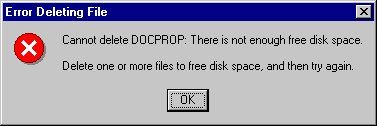
tip: don't tip this in:
Code:
del *

Offline
#6 2011-10-04 11:30:58
Re: CMD Tricks?
roijac_test wrote:
tip: don't tip this in:
Code:
del *
it's actually del *.* 


Offline
#7 2011-10-04 11:33:26
- roijac_test
- Scratcher
- Registered: 2011-08-31
- Posts: 49
Re: CMD Tricks?
LS97 wrote:
roijac_test wrote:
tip: don't tip this in:
Code:
del *
it's actually del *.*
stupid windows syntax 
linux terminal rules!
Offline
#8 2011-10-04 11:35:53
Re: CMD Tricks?
roijac_test wrote:
LS97 wrote:
roijac_test wrote:
tip: don't tip this in:
Code:
del *
it's actually del *.*
stupid windows syntax
linux terminal rules!
lol I actually quite like that *.* smiley
Offline
#9 2011-10-04 11:40:53
- destroydaworld111
- New Scratcher
- Registered: 2011-10-04
- Posts: 29
Re: CMD Tricks?
*.* It destroys del!
Offline
#10 2011-10-04 11:41:11
- roijac_test
- Scratcher
- Registered: 2011-08-31
- Posts: 49
Re: CMD Tricks?
LS97 wrote:
lol I actually quite like that *.* smiley
i think -.- looks better 
[/offtopic]
is it possible at all to make you admin if you're not one?
Last edited by roijac_test (2011-10-04 11:41:50)
Offline
#11 2011-10-04 12:19:55
Re: CMD Tricks?
I tried making a game in Batch, though I didn't get very far. Only a small battle system and a shop. But it's a start right?
You might find some coding tricks in the game code.
Code:
@echo off

SET level=1
SET /A maxEXP=%level%*5
SET exp=0
SET /A maxHP=%level%*10
SET health=%maxHP%
SET lives=2
SET gold=0

SET /A mhp=%level%*5

SET /P name=Hello! What is your name?

GOTO START

:START
ECHO Hello %name%! Welcome to this game!
ECHO Type HELP to learn more about the commands.
GOTO GETCMD

:BACKFROMTHEDEAD
IF %lives% LEQ 0 GOTO END
SET /A lives=%lives% - 1
ECHO You have been brought back from the dead. Someone walks up to you and says "You have %lives% more time(s) to die."
GOTO GETCMD

:GETCMD
IF %exp% GEQ %maxEXP% (
 SET /A level=%level%+1
 ECHO You leveled up! You are now level %level%!
 SET /A exp=%exp%-%maxEXP%
 SET /A maxHP=%level%*10
 SET /A mhp=%level%*5
 SET /A maxEXP=%level%*5 )
SET /P cmd=Command:
GOTO RUNCMD

:RUNCMD
IF /I %cmd%==HELP GOTO HELP
IF /I %cmd%==QUIT GOTO END
IF /I %cmd%==EXPLORE GOTO EXPLORE
IF /I %cmd%==SHOP GOTO SHOP
IF /I %cmd%==INFO GOTO DETAILS
ECHO No command %cmd% & GOTO GETCMD


:HELP
ECHO Command : Description
ECHO HELP    : Shows help page.
ECHO EXPLORE : You can explore the world.
ECHO SHOP    : Shop for items to increase the chance of your survival
ECHO INFO    : Displays info about your character.
ECHO QUIT    : Exit the game.
GOTO GETCMD

:RANDOM
set ran=%random:~-1%
GOTO %return%

:EXPLORE
SET return=EXPLORE2
GOTO RANDOM

:EXPLORE2
IF %ran% == 0 SET /A gold=%gold% + 1 & ECHO You found a gold piece! & GOTO GETCMD
IF %ran% == 1 SET /A gold=%gold% + 1 & ECHO You found a gold piece! & GOTO GETCMD
IF %ran% == 2 SET /A gold=%gold% + 1 & ECHO You found a gold piece! & GOTO GETCMD
::IF %ran% == 3 GOTO ATTACKED & GOTO GETCMD
::IF %ran% == 4 GOTO ATTACKED & GOTO GETCMD
::IF %ran% == 5 GOTO ATTACKED & GOTO GETCMD
::IF %ran% == 6 GOTO ATTACKED & GOTO GETCMD
IF %ran% == 7 GOTO ATTACKED & GOTO GETCMD
IF %ran% == 8 GOTO ATTACKED & GOTO GETCMD
IF %ran% == 9 GOTO ATTACKED & GOTO GETCMD
ECHO You found nothing while exploring.
GOTO GETCMD

:DETAILS
ECHO Name  : %name%
ECHO Health: %health%/%maxHP%
ECHO Level : %level%
ECHO Exp   : %exp%/%maxEXP%
ECHO Gold  : %gold%
GOTO GETCMD

:SHOP
ECHO Item ID : Price : Item Details
ECHO 0       : 0     : Leave Shop
ECHO 1       : 1     : Health Potion - Restores HP
ECHO 2       : 2     : Monster Attraction - Attracts a monster

SET /P cmd=What would you like to buy?

IF %cmd%==0 ECHO Come again! & GOTO GETCMD

IF %cmd%==1 (
 IF %gold% LEQ 0 ECHO Not enough money! & GOTO GETCMD
 SET /A gold=%gold% - 1
 ECHO Health restored!
 SET health=%maxHP%
 GOTO GETCMD )

IF %cmd%==2 (
 IF %gold% LEQ 1 ECHO Not enough money! & GOTO GETCMD
 SET /A gold=%gold%-2
 ECHO A monster appears!
 GOTO ATTACKED3 & GOTO GETCMD )

IF %cmd%==3 (
 IF %gold% LEQ 2 ECHO Not enough money! & GOTO GETCMD
 SET /A gold=%gold%-3
 SET /A lives=%lives%+1
 ECHO You have gained a life!
 GOTO GETCMD )

ECHO No such item!
GOTO GETCMD

:ATTACKED
SET return=ATTACKED2
GOTO RANDOM

:ATTACKED2
ECHO You were attacked by a monster and lost %ran% health!
SET /A health= %health% - %ran%
IF %health% LEQ 0 ECHO You died! & GOTO BACKFROMTHEDEAD
ECHO You have %health% left!
SET return=ATTACKED3
GOTO RANDOM

:ATTACKED3
ECHO You hit the monster and made him loose %ran% health!
SET /A mhp=%mhp% - %ran%
IF %mhp% LEQ 0 ECHO You killed the monster and found one gold piece and gained some expierence from the fight! & SET mhp=5 & SET /A gold=%gold% + 1 & SET /A exp=%exp% + 1 & GOTO GETCMD
SET return=ATTACKED2
GOTO RANDOM

:END
ECHO The End!
Off topic: Do tell me what you think of the game. ( I know the leveling system is one level behind when leveling up, still not sure what's wrong with that )
Offline

#13 2011-10-04 12:35:47
- WindowsExplorer
- Scratcher
- Registered: 2011-02-25
- Posts: 1000+
Re: CMD Tricks?
How do you make a Batch file?
Offline
#14 2011-10-04 12:43:26
- veggieman001
- Scratcher
- Registered: 2010-02-20
- Posts: 1000+
Re: CMD Tricks?
WindowsExplorer wrote:
How do you make a Batch file?
Make a file in Notepad, enter code, and save it as a .bat
Posts: 20000 - Show all posts
Offline
#15 2011-10-04 13:41:48
Re: CMD Tricks?
veggieman001 wrote:
WindowsExplorer wrote:
How do you make a Batch file?
Make a file in Notepad, enter code, and save it as a .bat
Even better notepad ++
Offline
#16 2011-10-04 13:43:13
Re: CMD Tricks?
roijac_test wrote:
LS97 wrote:
lol I actually quite like that *.* smiley
i think -.- looks better
[/offtopic]
is it possible at all to make you admin if you're not one?
It is on XP systems and earlier (ones that have multiple users anyway). The best and funniest user control is Windows 98 SE: you leave the password field blank, and it logs you in!
Offline
#17 2011-10-04 13:45:27
- WindowsExplorer
- Scratcher
- Registered: 2011-02-25
- Posts: 1000+
Re: CMD Tricks?
LS97 wrote:
roijac_test wrote:
LS97 wrote:
lol I actually quite like that *.* smiley
i think -.- looks better
[/offtopic]
is it possible at all to make you admin if you're not one?It is on XP systems and earlier (ones that have multiple users anyway). The best and funniest user control is Windows 98 SE: you leave the password field blank, and it logs you in!
lol! Not very helpful password protection!
Offline
#18 2012-02-27 12:15:01
Re: CMD Tricks?
IF you are experienced in using command prompted you no all about how to remote shutdown others upon ur net work (shutdown -i)
instead us a LOIC its a low orbiting ion cannon you can not only shutdown computers near you but websites and computers that have low security and not windows 7 (if you complain about LOIC its because you haven't used it properly)
Offline
#19 2012-02-28 10:41:09
Re: CMD Tricks?
WindowsExplorer wrote:
LS97 wrote:
roijac_test wrote:
i think -.- looks better
[/offtopic]
is it possible at all to make you admin if you're not one?It is on XP systems and earlier (ones that have multiple users anyway). The best and funniest user control is Windows 98 SE: you leave the password field blank, and it logs you in!
lol! Not very helpful password protection!
lol bit of a fail for microsoft
Last edited by muppetds (2012-02-28 10:41:51)
SCRATCH'S PARTLY INSANE RESIDENT

Offline
#21 2012-02-28 16:27:26
Re: CMD Tricks?
what-the wrote:
Use up arrow to repeat commands. If you run a console program and it ends you can run it again and type in what you typed in before by pressing up. On Ubuntu you can't do this.
Yes you can!
If you are on linux/os x do not run this:
Code:
$ sudo rm -rf /
 Come and help
Offline
#22 2012-02-29 00:15:25
- nathanprocks
- Scratcher
- Registered: 2011-04-14
- Posts: 1000+
Re: CMD Tricks?
what-the wrote:
Use up arrow to repeat commands. If you run a console program and it ends you can run it again and type in what you typed in before by pressing up. On Ubuntu you can't do this.
Actually, you can do it on Ubuntu.

Offline
#23 2012-02-29 00:19:01
- nathanprocks
- Scratcher
- Registered: 2011-04-14
- Posts: 1000+
Re: CMD Tricks?
jjgeorge wrote:
IF you are experienced in using command prompted you no all about how to remote shutdown others upon ur net work (shutdown -i)
instead us a LOIC its a low orbiting ion cannon you can not only shutdown computers near you but websites and computers that have low security and not windows 7 (if you complain about LOIC its because you haven't used it properly)
I know how to shutdown a computer via email. ... You have to have access to the computer first lol.
Offline
#24 2012-02-29 15:45:36
Re: CMD Tricks?
you cant if your a standard user. the best way to stay admin without using sketchy third party software is to make a password reset disk while the admin forgets to logout, then you can make yourself admin whenever you please as long as you have that removable storage with you. i hid my password reset file on the SD card of my camera and whenever my parents try to put on parental controls, i simply reset the admin password, make my self admin and disable them.
Offline
#25 2012-02-29 16:02:53
Re: CMD Tricks?
t-boy wrote:
you cant if your a standard user. the best way to stay admin without using sketchy third party software is to make a password reset disk while the admin forgets to logout, then you can make yourself admin whenever you please as long as you have that removable storage with you. i hid my password reset file on the SD card of my camera and whenever my parents try to put on parental controls, i simply reset the admin password, make my self admin and disable them.
lol i did that as well
SCRATCH'S PARTLY INSANE RESIDENT
Offline