Scratch
archived forums
#76 2010-11-14 12:05:55
Re: MS Paint Art Thread
The_Dancing_Donut wrote:
http://img146.imageshack.us/img146/723/tddg.jpg
I did this on paper. You like?
...and took a picture of the picture with my webcam! XD
I joined Imageshack!
cool 
Hey. It's me SSSS, back from the dead!
Offline
#77 2010-11-14 12:06:02
- juststickman
- Scratcher
- Registered: 2009-05-31
- Posts: 1000+
Re: MS Paint Art Thread
The_Dancing_Donut wrote:
http://img146.imageshack.us/img146/723/tddg.jpg
I did this on paper. You like?
...and took a picture of the picture with my webcam! XD
I joined Imageshack!
Sadly it's no longer copyrighted due to imagehsack's terms of use.
Offline
#78 2010-11-14 12:06:39
Re: MS Paint Art Thread
juststickman wrote:
The_Dancing_Donut wrote:
http://img146.imageshack.us/img146/723/tddg.jpg
I did this on paper. You like?
...and took a picture of the picture with my webcam! XD
I joined Imageshack!Sadly it's no longer copyrighted due to imagehsack's terms of use.



Offline

#80 2010-11-14 12:09:41
Re: MS Paint Art Thread
ssss wrote:
ha! I use my own site to host: See http://www.cyberkidscountry.com/rofl.bmp
Why did it not work before?
Offline
#81 2010-11-14 12:15:18
Re: MS Paint Art Thread
kimmy123 wrote:
ssss wrote:
ha! I use my own site to host: See http://www.cyberkidscountry.com/rofl.bmp
Why did it not work before?
because you have to put a http:// in
Hey. It's me SSSS, back from the dead!
Offline
#82 2010-11-14 19:43:58
- cheddargirl
- Scratch Team
- Registered: 2008-09-15
- Posts: 1000+
Re: MS Paint Art Thread
WindozeNT wrote:
cheddargirl wrote:
WindozeNT wrote:
Cheddargirl, what do you think about my O Rly owl?
It's funny.

I think it could use more siggies in the background, though. Most Scratchers here know my Scratch catchphrase, but those who don't know it won't get the joke.That's what I was originally thinking, but at that time I felt like using only your siggy to save time. It was really made in Scratch because of MS Paint's anti-transparency rule that tied Windows down since Windows 1 onward. I had to import and tile each cheddargirl siggy one by one in 10x magnification.
While MS paint doesn't support transparency, there is a way to set a color as "transparent". If you have an old version of MS paint, go to "view" and deselect "Draw Opaque". The background color (usually white by default), is now "transparent". 

Everything is better when you add a little cheddar, because when you have cheese your life is at ease
Offline


#84 2010-11-14 21:20:58
- Blade-Edge
- Scratcher
- Registered: 2009-06-13
- Posts: 1000+
Re: MS Paint Art Thread
Yikes
 CLASSY
Offline
#85 2010-11-15 13:59:22
- The_Dancing_Donut
- Scratcher
- Registered: 2010-08-03
- Posts: 1000+
Re: MS Paint Art Thread
kimmy123 wrote:
juststickman wrote:
The_Dancing_Donut wrote:
http://img146.imageshack.us/img146/723/tddg.jpg
I did this on paper. You like?
...and took a picture of the picture with my webcam! XD
I joined Imageshack!Sadly it's no longer copyrighted due to imagehsack's terms of use.
Then I'll delete it. Thanks for telling me!
Offending strangers since 2010.
Offline


#87 2010-11-18 07:07:18
- Blade-Edge
- Scratcher
- Registered: 2009-06-13
- Posts: 1000+
Re: MS Paint Art Thread
I like it
I know someone who overuses the calligraphy brush too
CLASSYOffline
#88 2010-11-26 17:53:22
- Sunrise-Moon
- Scratcher
- Registered: 2009-06-27
- Posts: 1000+
Re: MS Paint Art Thread
NECROBUMP
+ My images 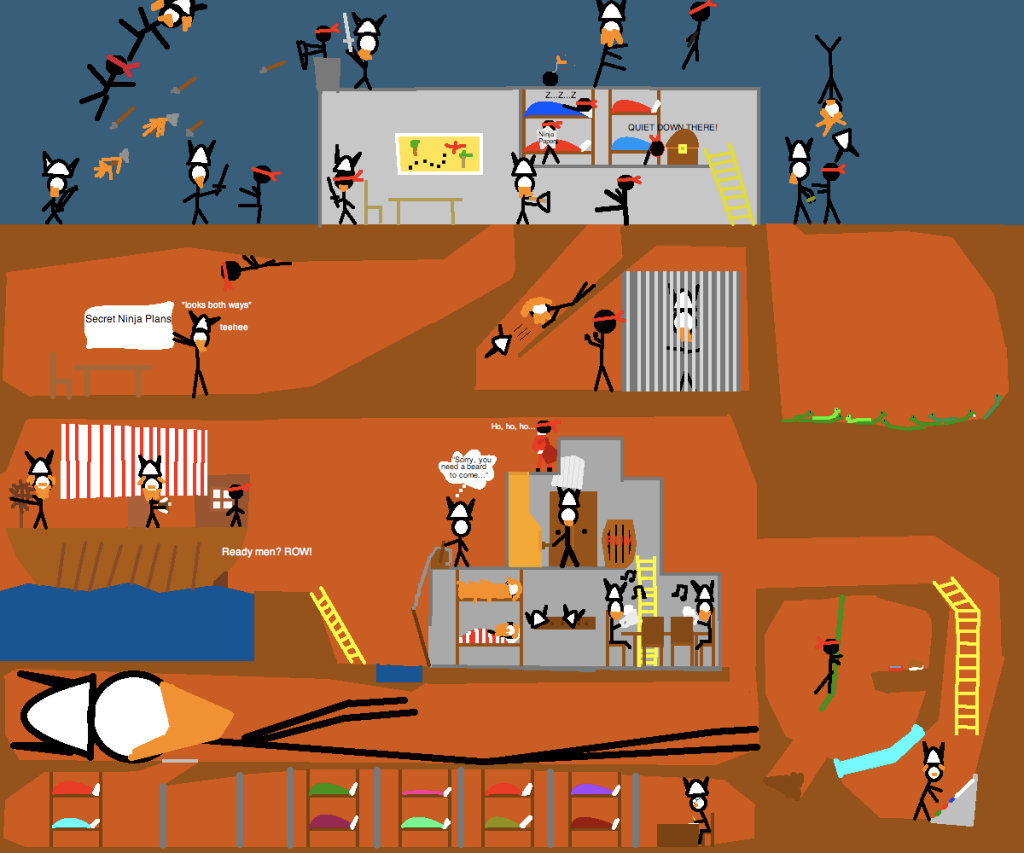
Vikings vs. Ninjas (click to enlarge)
Unfinished UFO
Duck/chick
Steve emoticon
Sparkly Steve emoticon
Last edited by Sunrise-Moon (2010-11-26 17:54:13)

Offline
#89 2010-11-26 18:44:06
- silverninja
- Scratcher
- Registered: 2010-05-01
- Posts: 500+
Re: MS Paint Art Thread
It's not good to bump deadthreads
Offline
#90 2010-11-26 18:45:17
- GlitchSprite
- Scratcher
- Registered: 2010-06-08
- Posts: 1000+
Re: MS Paint Art Thread
Technically it is not a deadthread
Not 2 months old yet

Offline
#91 2010-11-26 19:04:09
- littletonkslover
- Scratcher
- Registered: 2008-12-12
- Posts: 1000+
Re: MS Paint Art Thread
does it have to be ms paint

That's the dark nature of capitalism. ~ Wonder Showzen
Offline
#93 2010-11-26 22:34:38
- Sunrise-Moon
- Scratcher
- Registered: 2009-06-27
- Posts: 1000+
Re: MS Paint Art Thread
silverninja wrote:
It's not good to bump deadthreads
It's [usually] ok when you have something pertaining to the topic.
Offline
#94 2010-12-02 20:42:05
Re: MS Paint Art Thread
cheddargirl wrote:
WindozeNT wrote:
cheddargirl wrote:
It's funny.
I think it could use more siggies in the background, though. Most Scratchers here know my Scratch catchphrase, but those who don't know it won't get the joke.That's what I was originally thinking, but at that time I felt like using only your siggy to save time. It was really made in Scratch because of MS Paint's anti-transparency rule that tied Windows down since Windows 1 onward. I had to import and tile each cheddargirl siggy one by one in 10x magnification.
While MS paint doesn't support transparency, there is a way to set a color as "transparent". If you have an old version of MS paint, go to "view" and deselect "Draw Opaque". The background color (usually white by default), is now "transparent".
I have already tried that.  The O Rly owl wasn't originally in a transparent environment. The owl and the words were placed in a black background that Paint refused to convert with alpha-transparency. Even converting to transparency in Scratch failed.

Ever since Misc was killed, I've pretty much stopped going to Scratch Forums...
Offline
#95 2010-12-03 07:37:34
- Blade-Edge
- Scratcher
- Registered: 2009-06-13
- Posts: 1000+
Re: MS Paint Art Thread

100% MS paint from win XP and it took 5 minutes to draw and gradient
Based off this
CLASSYOffline
#96 2010-12-03 07:46:24
- The_Dancing_Donut
- Scratcher
- Registered: 2010-08-03
- Posts: 1000+
Re: MS Paint Art Thread
Blade-Edge wrote:
http://img202.imageshack.us/img202/7964/tigerfang.png
100% MS paint from win XP and it took 5 minutes to draw and gradient
Based off this
http://i.i.com.com/cnwk.1d/i/bto/200801 … 40x315.jpg
Cool! If you roughen up the edges a little, it'll give the effect of fur.
I did this in about 5 mins, imported into Scratch and touched up: Here.
Originally done in MS Paint. Touched up in Scratch.
Last edited by The_Dancing_Donut (2010-12-03 07:47:35)
Offending strangers since 2010.
Offline
#97 2010-12-03 07:49:01
- Albertt911
- Scratcher
- Registered: 2010-09-28
- Posts: 1000+
Re: MS Paint Art Thread
O.O ... i think i underestimated MSPaint... it could take over the world! 8D
'The only problem with the world is that fools and fanatics are so certain of themselves, and the wise so full of doubt.'


Offline
#98 2010-12-03 07:52:30
- Blade-Edge
- Scratcher
- Registered: 2009-06-13
- Posts: 1000+
Re: MS Paint Art Thread
Anyone wanna know how to make a gradient?
Make the paint window 100 px wide and 200 px long, then put a black line across it diagonally. Fill the top half with red and the bottom with blue, then stretch and skew it, and set the top percent to 1. Then just stretch the image and you have a gradient
CLASSYOffline
#99 2010-12-03 15:33:23
Re: MS Paint Art Thread
Blade-Edge wrote:
Anyone wanna know how to make a gradient?
Make the paint window 100 px wide and 200 px long, then put a black line across it diagonally. Fill the top half with red and the bottom with blue, then stretch and skew it, and set the top percent to 1. Then just stretch the image and you have a gradient
 Dude you are an MS Paint master. Look at this epicness gradient:
Offline